
PS-Prep
Programming practice, a browser-based Python editor, detailed solutions, and a problem-aware AI tutor in one place. Built for college Project School preparation and improved through student feedback.
- Type
- Programming preparation platform
- Role
- Full-stack & AI engineering
- Source
- GitHub ↗
- Scope
- College Project School preparation
Tech stack
- React
- Vite
- Tailwind CSS
- Monaco Editor
- Piston API
- Supabase
- Gemini
 React
React Tailwind CSS
 Gemini
Bring the preparation into one place
Before the college Project School selection test, programming materials, question sets, solutions, compiler tools, and chatbot conversations were scattered. Practising a single problem meant moving between several tools.
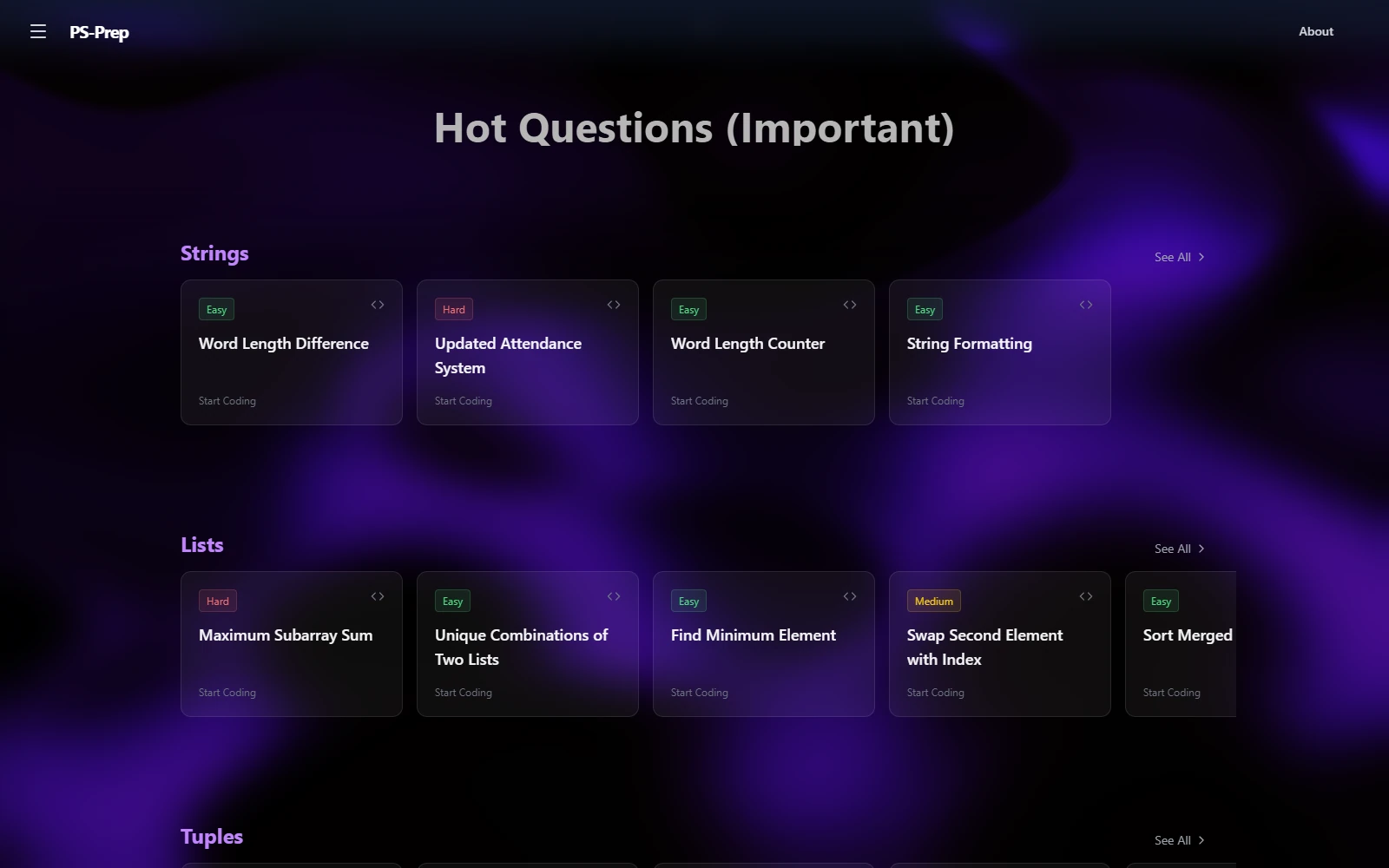
PS-Prep combines that workflow into a focused preparation platform: browse a problem, write Python, run it, inspect the output, reveal an explanation, and ask for contextual guidance. Its question bank contains more than 200 questions across over ten topics.
A complete practice loop
Students browse questions by topic and difficulty, then write Python in a Monaco-powered browser editor. Piston executes the code and returns standard output or errors. A solution and detailed explanation can be revealed when needed.
Questions and topics are stored dynamically in Supabase. React, Vite, React Router, and Tailwind provide the responsive application interface.
The feedback that changed the editor
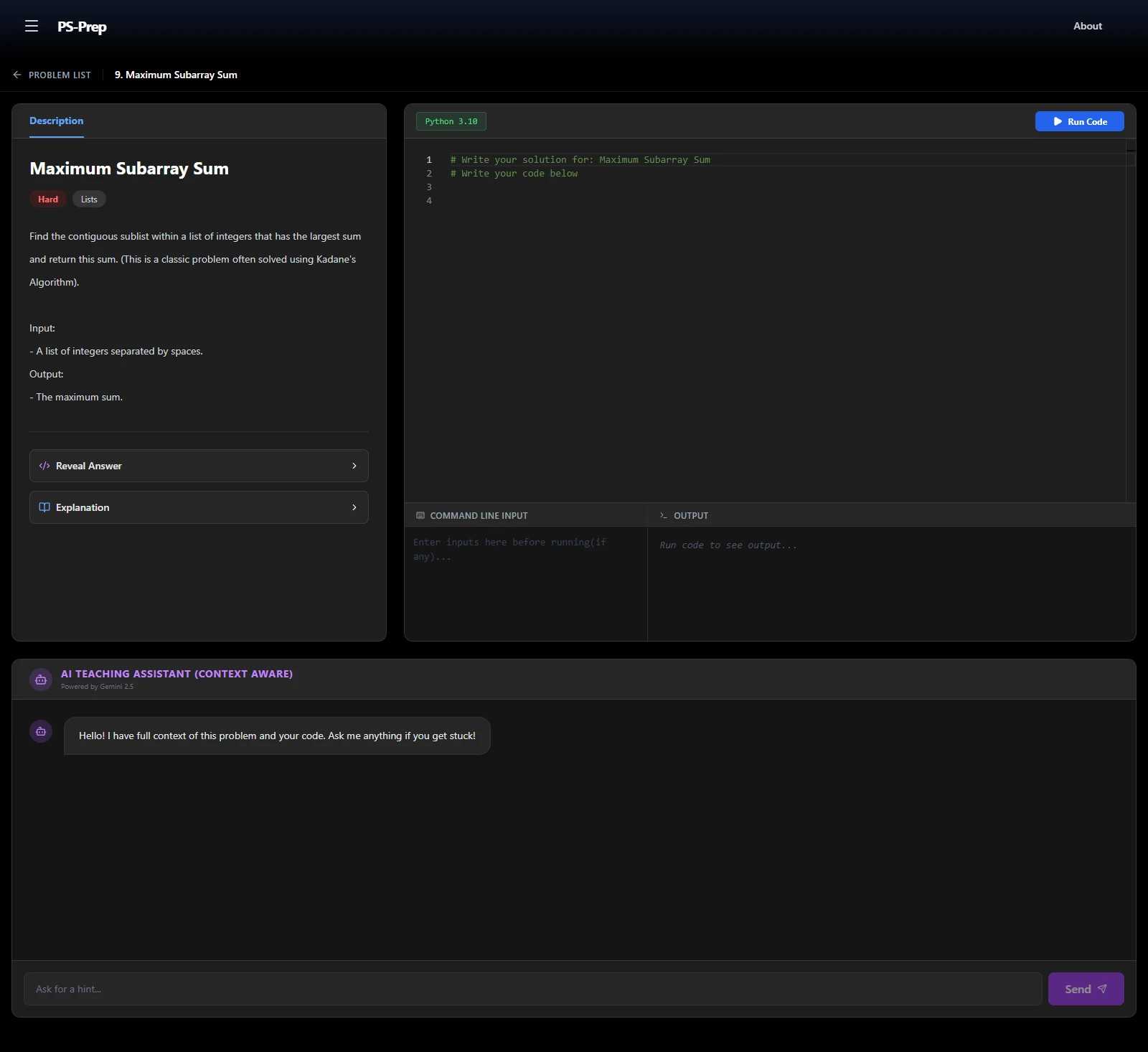
The initial version made programs using input() inconvenient to practise. Student feedback made that gap clear: running code was useful, but students also needed a straightforward way to supply input.
A dedicated Command Line Input field now collects standard input before the student presses Run. The supplied text goes to Piston with the code, allowing input-based problems without building a full interactive terminal.
A tutor with the problem in context
The tutor receives the current problem’s title and description, the student’s code, and their question. Its instructions favour concise hints and explanations before handing over a complete solution.
The server-side Edge Function provides the boundary to Gemini. Keeping the current exercise in the request avoids asking the student to copy their problem and code into a separate generic chat.
Trade-offs
| Choice | Reason | Cost |
|---|---|---|
| Pre-supplied stdin | Support common input-based exercises with a small interface. | No interactive input during execution. |
| Python-focused execution | Focus on the immediate preparation workflow. | Other programming languages are outside the execution scope. |
| Problem-aware tutoring | Ground guidance in the actual exercise and current code. | AI suggestions can still be incorrect. |
| Curated college preparation | Make the question bank relevant to the intended test. | It is not a general competitive-programming judge or IDE. |
Used, then improved
The README reports that the platform was shared through college WhatsApp groups and used by roughly 100+ students during exam preparation. This is the project author’s account of adoption, rather than an independently measured analytics result.
The most concrete outcome was the feedback loop: students encountered an execution limitation, reported it, and the platform gained a dedicated stdin workflow. The repository does not publish accuracy, latency, or test-pass benchmarks.
Boundaries & future improvements
Execution is Python-only and uses input supplied before a run. There is no hidden-test online judge, and AI guidance still needs a student’s judgement.
The README proposes automated test cases, more language support, progress tracking, stronger automated testing, structured hint levels, richer question metadata, and student contributions as future improvements. These are next steps, not shipped features.
FAQ
What is PS-Prep designed for?
Programming practice for the college Project School selection process, bringing questions, Python execution, solutions, and tutoring into one workflow.
Can I use input() in a program?
Yes. Enter the expected input in the Command Line Input field before running. It is passed as stdin; it is not an interactive terminal.
Does the tutor see the code I am working on?
Yes. Its context includes the current problem, current code, and student question so it can offer relevant hints.
Does it grade against hidden tests?
No. A hidden-test online judge is outside the current implementation. Automated test cases are listed as future work.